Docs / What is HTMLOL?
What is HTMLOL?
A browser-based HTML editor with a live preview, email-client checks, and share-a-link publishing — no install, no build step.
HTMLOL is an HTML editor that runs entirely in your browser. You write (or paste, or open) HTML, and a live preview renders it instantly beside your code. There's nothing to install and no build step — open the page and you're working.
It's built for two kinds of people at once: someone who can read a <div> but would rather be shipping than fighting a bloated IDE, and the developer who wants a fast scratchpad with a real preview and a one-click way to share the result.
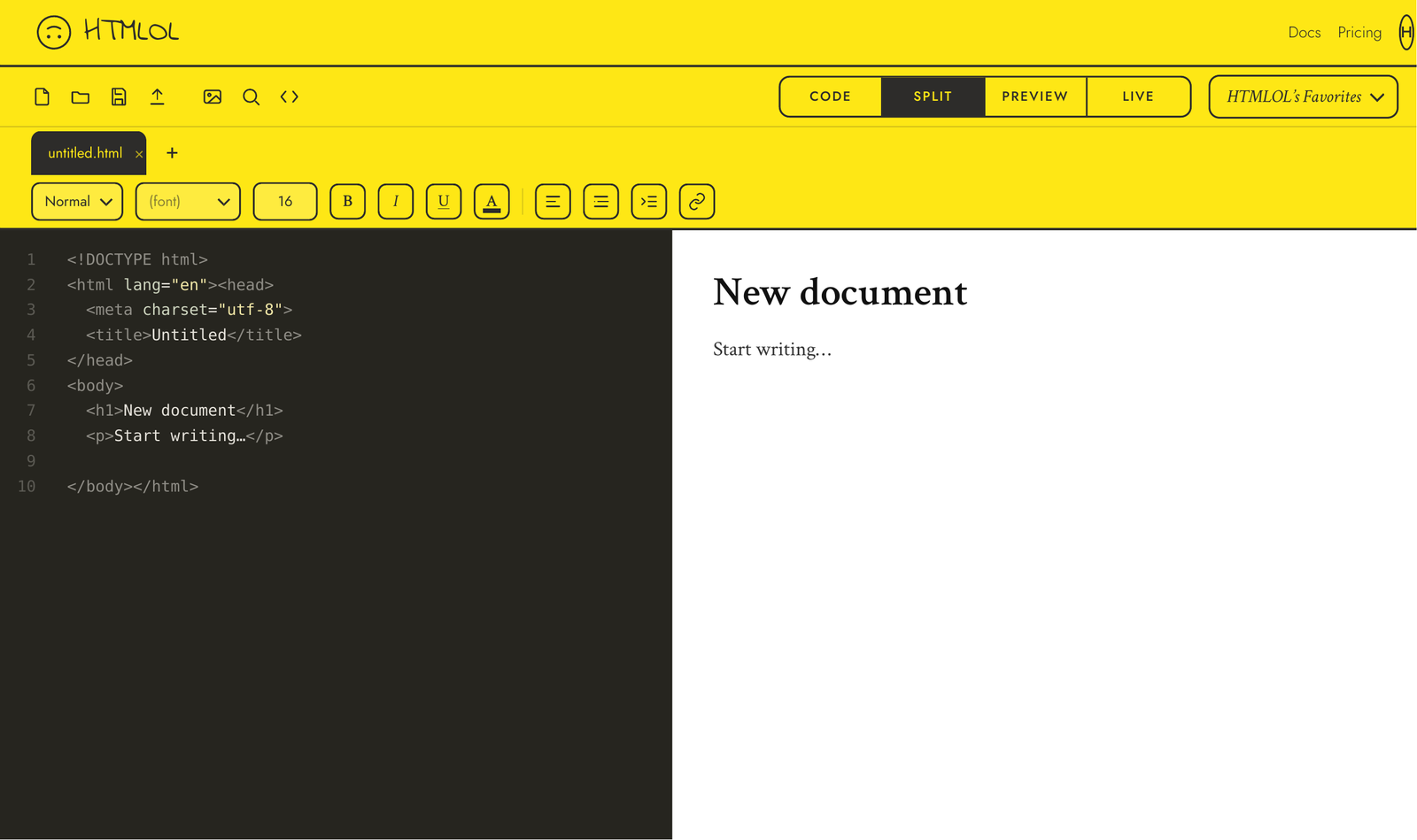
What you can do
- Write and preview HTML with no setup — see Editor views.
- Edit visually — click an element, drag it into place, resize it, edit its text. See Visual editing.
- Catch email bugs before you send, with built-in compatibility checks (Email checks).
- Publish a link in one click — open, password-protected, or expiring (Share a link).
- Stay on brand with curated colors and fonts, or your own brand book (Brand & Favorites).
- Export finished work as HTML or PDF.
How it works
Everything runs locally in your browser. Your markup isn't sent anywhere until you choose to publish a share link or upload an image. You sign in with a password or a six-digit email code — which lets HTMLOL count your files and unlock paid features. That's the whole model: local-first editing, with an account only where it needs one.
No framework, no transpile, no node_modules. The preview renders your raw HTML/CSS/JS exactly as a browser would. The Live view runs your scripts in a sandboxed iframe so you can test interactivity; Preview is a static, read-only render. Paste in a full document or just a <body> fragment — both work.