Docs / Quickstart
Quickstart: your first page in 60 seconds
Open the editor, type some HTML, watch it render, and share a link. The whole loop, start to finish.
This is the whole loop — open, write, preview, share — in about a minute. No account needed to start.
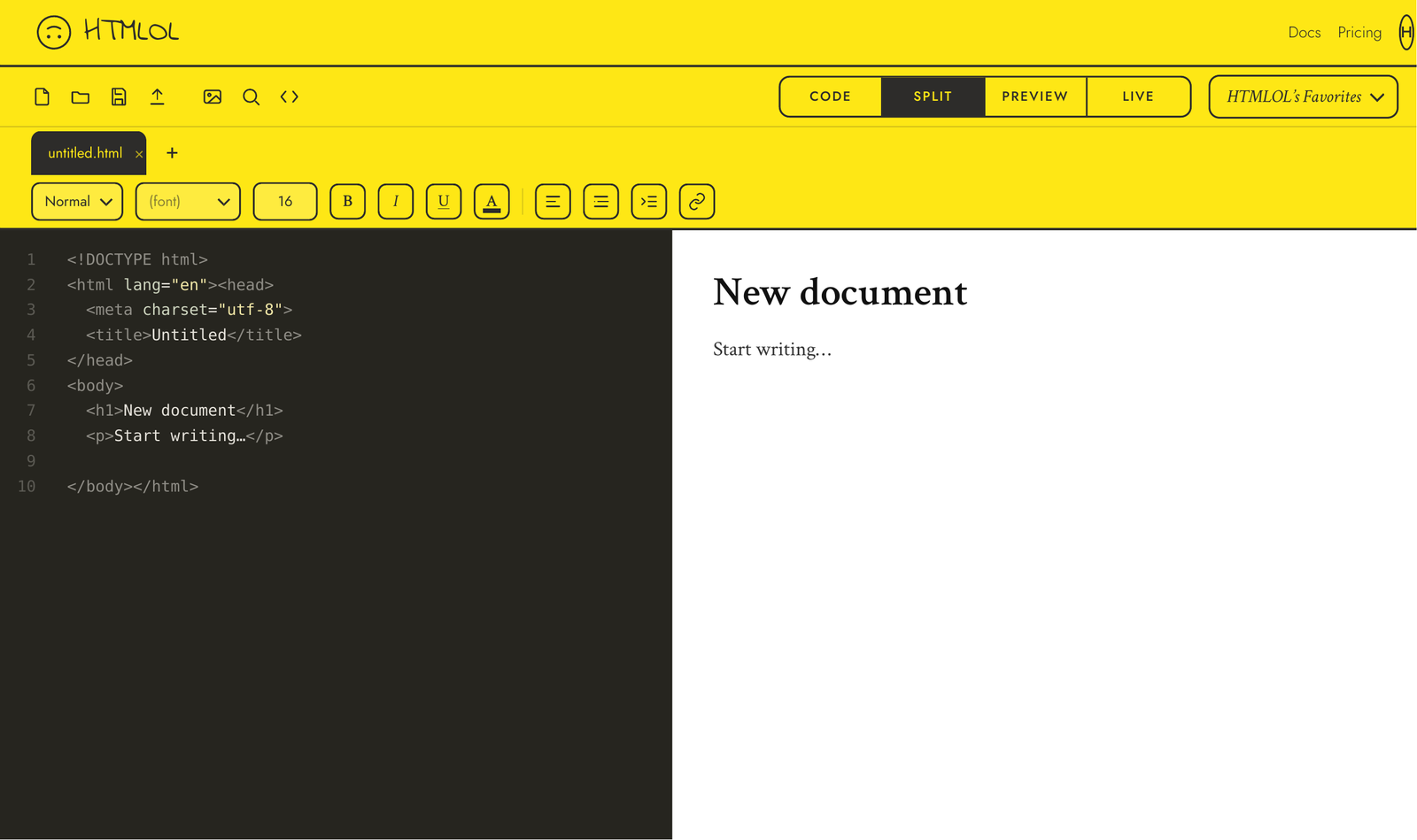
1. Open the editor
Go to htmlol.lol and you'll land in a fresh untitled.html, ready to type. Want a different starting point? The + next to the tab offers Start with a Template or Start Blank, and the toolbar has Open file, Open folder, and Paste HTML.
Hit + → Start with a Template and pick an announcement email, newsletter, or landing page — a real page to edit in one click. (New here? The footer's ✦ Tutorial gives you a guided tour.)
2. Write some HTML
In the Code view, type:
<h1>Hello, world</h1>
<p>My first page, made with <strong>HTMLOL</strong>.</p>
<button>Click me</button>
The preview on the right updates as you type — no save, no refresh.
3. Switch views
Use the segmented control at the top to move between Code, Split (code + preview side by side), Preview (a clean render — and where you edit visually), and Live (a read-only true-to-live render where your scripts run). Full details in Editor views.
4. Tweak it visually
In Preview, click the heading to select it, then double-click to edit the text, or drag it to reposition. (Live is read-only — Preview is where you edit.) The whole visual toolkit is covered in Visual editing.
5. Share or export
Happy with it? Hit Share to publish a link you can paste anywhere, or use Download to export the HTML (or a PDF). Sharing needs a free account — sign in with a password or a one-time code — and a paid plan; see Share a link and Plans.
Prefer to bring your own file? Use Open file to load an .html from disk (it stays in sync if your browser supports the File System Access API), or Open folder to bring CSS and images along too. Paste HTML drops in markup from anywhere.