Docs / Share a link
Share a link
Publish your page to a hosted URL in one click — open, password-protected, or set to expire. Update it later in place.
When a page is ready, Share publishes it to a hosted URL you can paste anywhere — a text, an email, a Slack message. The link renders your page for anyone who opens it; no HTMLOL account required on their end.
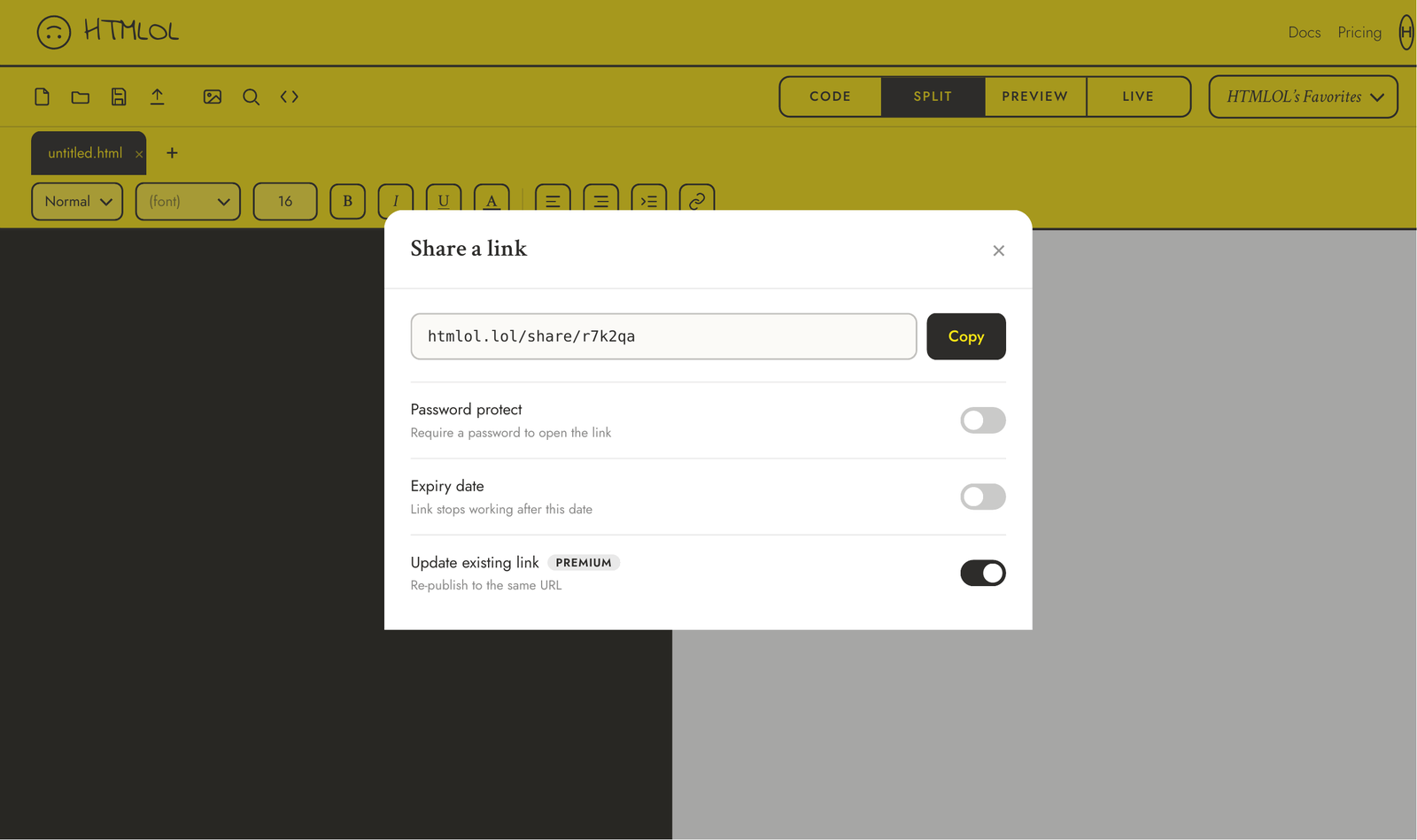
Publishing a link
Click Share, leave it on New link, choose how open it should be, and hit publish. HTMLOL gives you a short URL and copies it to your clipboard. That's it — the page is live.
Visibility options
- Anyone with the link — open to whoever has the URL.
- Password protected — the visitor must enter a password to view the page. Share that password through a separate channel from the link itself.
- Expires after a date — the link stops working past the date you set, showing a friendly "this link has expired" page.
You can combine the last two: a password-protected link that also expires.
Updating a link
Edited the page and want the same URL to show the new version? Open Share, switch to Update existing, pick the link, and publish. The URL stays the same; visitors just see the new content. This is a Premium feature — see Plans.
Sharing is a paid feature. Free accounts can build and download pages; Basic can publish unlimited new links; Premium can also update existing links in place. Details in Plans & billing.
Shared links get a branded preview card automatically, so pasting one into iMessage or Slack shows a tidy HTMLOL preview instead of a bare URL.