Docs / Email-client checks
Email-client compatibility checks
Catch what Gmail and Outlook will mangle before you hit send — flagged inline as you write.
Email is the most hostile place to render HTML. Gmail strips some CSS, Outlook ignores others, and what looks perfect in a browser can fall apart in an inbox. HTMLOL's compatibility checks flag those problems before you send.
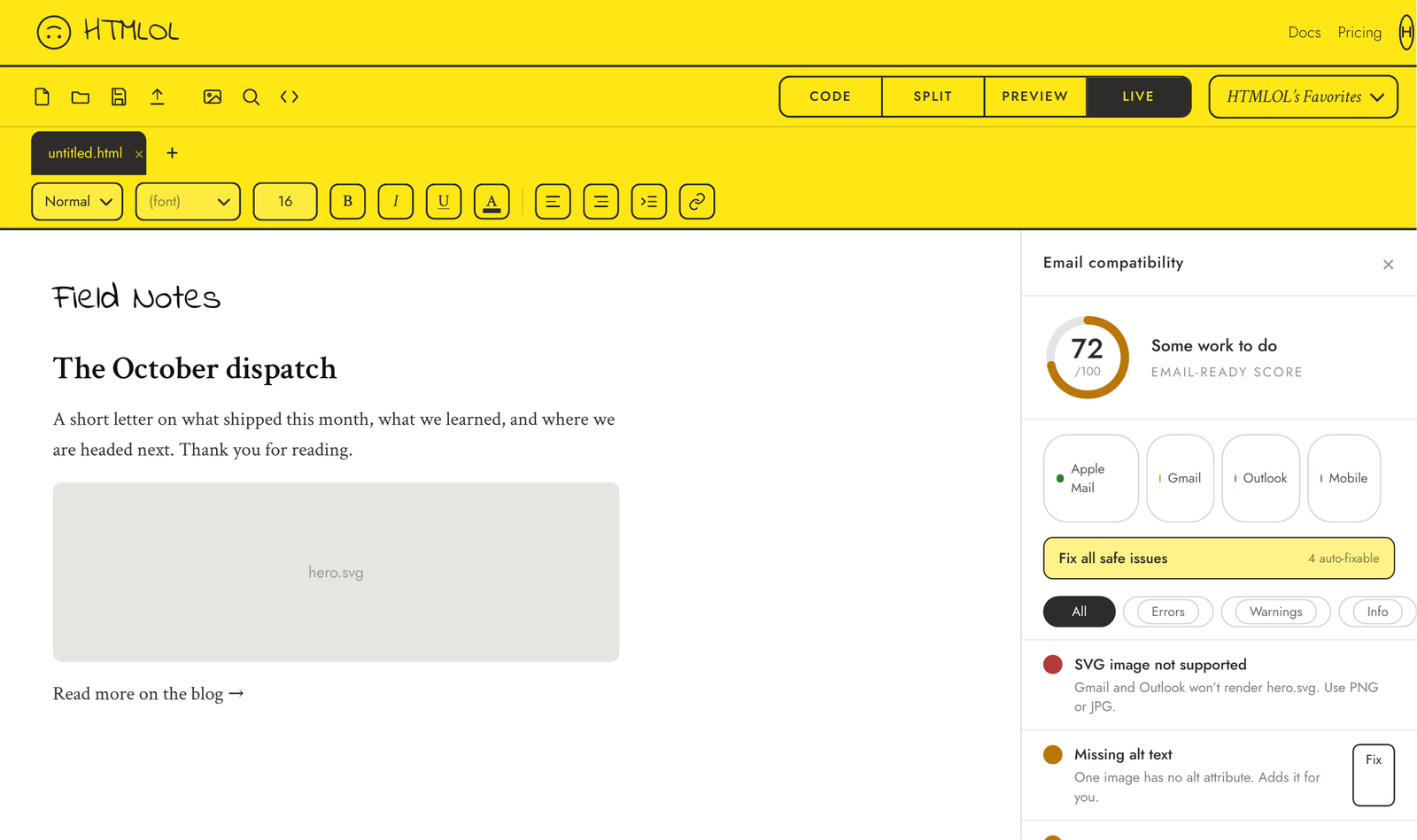
Running a check
In Live view, click Check compatibility. HTMLOL scans your markup and CSS for patterns known to break in major email clients, then marks the offending lines and lists each issue with a short explanation and a suggested fix.
What it catches
Common culprits include modern layout (flexbox, grid, position), unsupported image formats, web fonts that won't load, missing alt text, images without dimensions, and CSS that specific clients quietly drop. Each finding tells you which clients are affected and what to use instead.
Your email-ready score
The report leads with an email-ready score out of 100 — green when you're in good shape, amber when there's work to do, red when there's a lot. It's weighted by severity (errors hurt most), so it's an at-a-glance read on whether a page is safe to send, and it climbs as you fix things.
Where it'll break
A per-client breakdown shows how your page is likely to fare across the big rendering engines — Apple Mail, Gmail, Outlook (Windows), Outlook.com, Yahoo, and Mobile — so you can see where a problem bites, not just that it exists.
One-click fixes
For the safe, mechanical issues, the report offers a Fix button per item plus Fix all safe issues — it adds missing alt text, moves <style> into the <head>, appends a generic font fallback, adds a background-color fallback behind background images, and fills in image dimensions. Every fix is undoable (⌘+Z). Structural problems (flex/grid → tables, SVG → PNG) stay as written guidance, since those are judgment calls.
One-click fixes change the document you're editing. Issues that come from an applied brand or a CSS rule (not your editable markup) stay as guidance rather than offering a Fix that wouldn't have anything to change.
The checker is advice, not a hard stop — you can publish or export anyway. It's there to catch the things that are easy to miss, not to police your markup.
Compatibility checks are a Basic+ feature. The check runs client-side against a ruleset of known client quirks, so it's instant and works on whatever's currently in your editor — no sending required.