Docs / Share analytics
Share analytics & My links
See how many people open each shared link, with a 30-day trend, and manage all your links in one place — a Premium feature.
Once you've published share links, the My links manager is where you see and run them all — including how many people have opened each one. View analytics are a Premium feature; the manager itself is open to anyone with links.
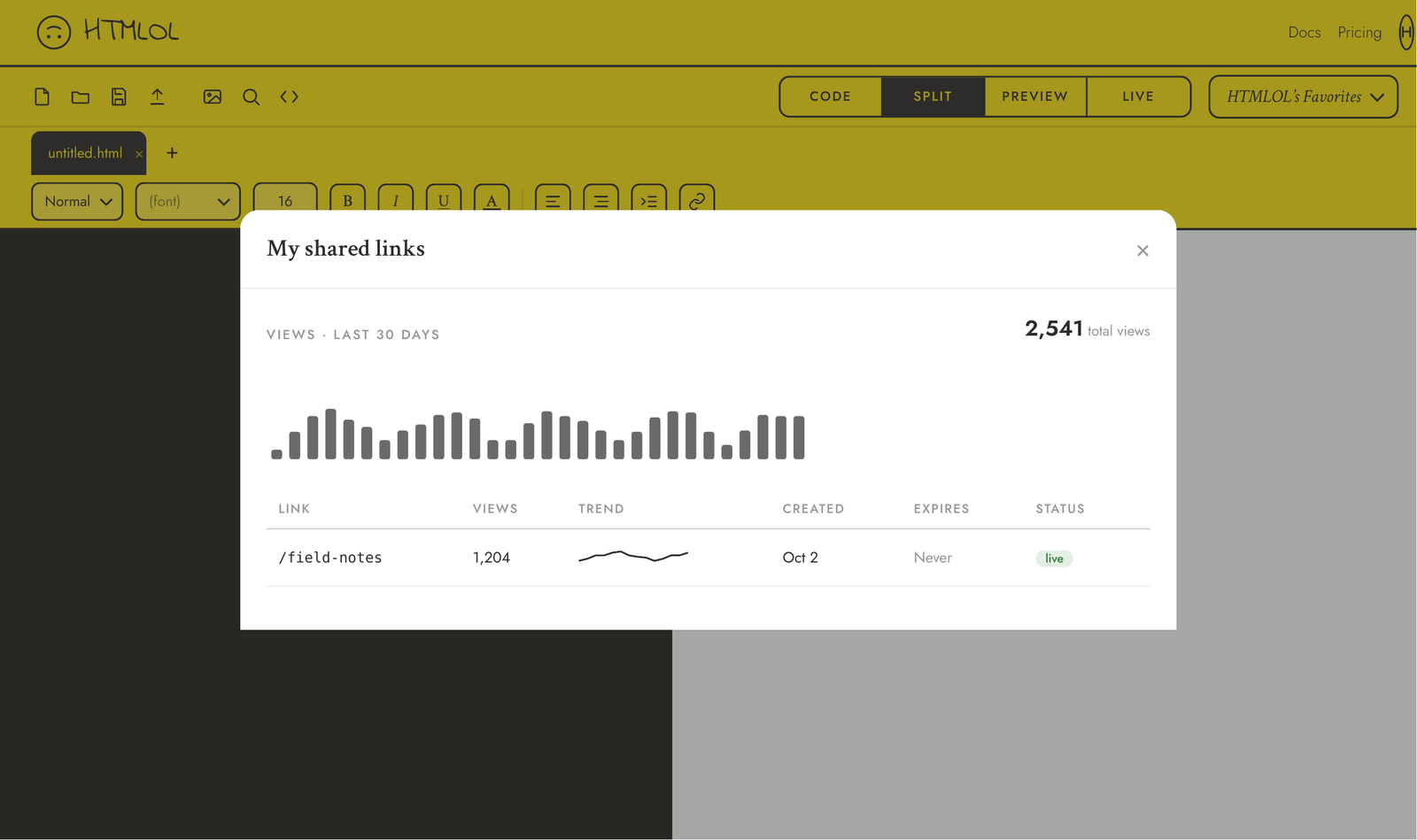
Where to find it
Open My links two ways: the My links tab inside the Share dialog, or My shared links in the account menu (your initials, top-right). Either opens the same manager.
View analytics
For Premium and Friend accounts, each link shows its total views plus a 30-day sparkline of daily opens, so you can see what's landing. Views are counted server-side every time a link is opened — on every plan — so the data is already accruing if you upgrade later (where it shows locked with an upgrade prompt until then).
Each load of a live share page is one view. It's a lightweight count for "is anyone opening this?" — not a full web-analytics suite.
Manage each link
Every link in the list carries quick actions:
- Copy / Open — grab the URL or open the live page.
- Revoke / Restore — take a link offline instantly, or bring it back. A revoked link returns a "not available" page.
- Update — re-publish the current document to that link (Premium).
Status badges show at a glance whether a link is open, password-protected, expiring, expired, or revoked.
Set a link to expire or lock it with a password when you publish — details in Passwords & expiry. Revoke and expiry are enforced when the link is opened.