Docs / Brand & Favorites
Brand & HTMLOL's Favorites
Apply a curated palette and type, or import your own brand book so every page is on-brand by default.
Consistent color and type make a page look finished. HTMLOL's brand tools put your palette and fonts one click away — either a curated set we maintain, or your own brand book imported wholesale.
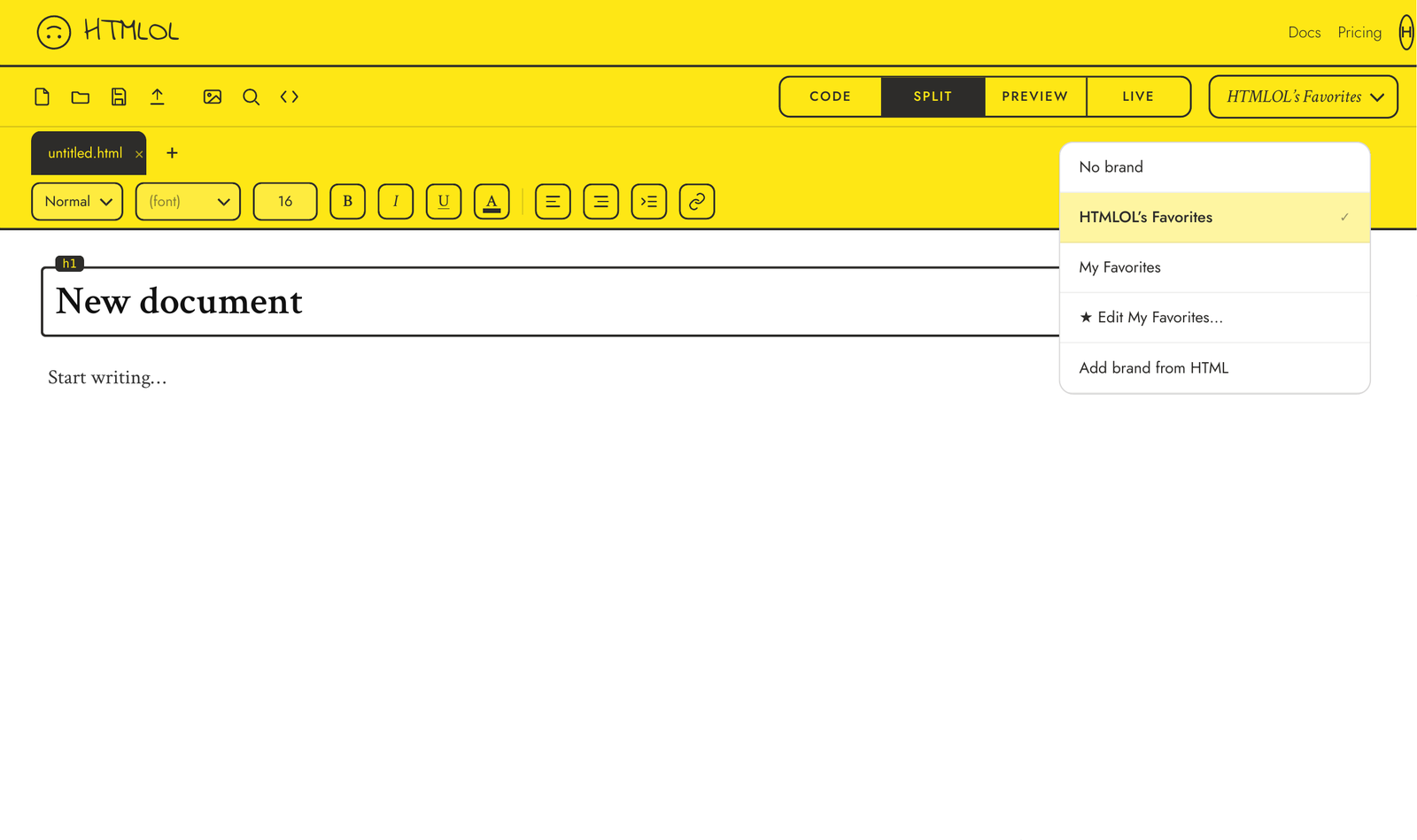
Choosing a brand
Open the brand selector in the toolbar (it reads No brand by default). You'll find three options:
- No brand — your page uses whatever styles you've written. No palette is imposed.
- HTMLOL's Favorites — a hand-picked set of colors and fonts, surfaced as swatches in the element panel and choices in the font menus. Great for a quick, cohesive look.
- Add brand from HTML — import your own brand book (see below).
HTMLOL's Favorites
Pick HTMLOL's Favorites and the editor's color swatches and font menus fill with a curated palette and typeface set. Apply them to any selected element from the element panel. For paid accounts it's set as the default, so new pages start on-brand.
The font menu (in the Element panel and the toolbar) is searchable, and every font name is rendered in that font — so you can see Lobster in Lobster before you pick it.
Importing your own brand book
Choose Add brand from HTML and upload (or drag & drop) a brand file. An import dialog previews the extracted colors and fonts before you save — remove any you don't want, rename the brand, add a hex color the extractor missed, and drag swatches to reorder. Save, and it's applied and available throughout the editor. This is a Premium feature.
My Favorites
My Favorites is your own saved palette and type set — separate from HTMLOL's curated Favorites. Build it as you work: hit the ★ on the color and font controls in the Element panel to save what you're using, or open ★ Edit My Favorites… from the brand dropdown to add hex colors and fonts, reorder, and remove. Pick My Favorites from the dropdown to apply it like any brand. It's saved to your account, so it follows you across devices. A Premium feature.
HTMLOL's Favorites is available on Basic and up; brand-book import and My Favorites are Premium. See Plans & billing.